> ## Documentation Index
> Fetch the complete documentation index at: https://docs.apowerb.com/llms.txt
> Use this file to discover all available pages before exploring further.
# Integrations
> Connect the services your agents act on.
An integration connects an external service so agent tools can act on it — read a
Drive folder, send an Outlook mail, list Teams chats.
This is not how users sign in. Signing in **with** an identity provider belongs to a
commercial edition and is absent from the open-source build, which authenticates with
email and password. See [Editions](/concepts/editions).
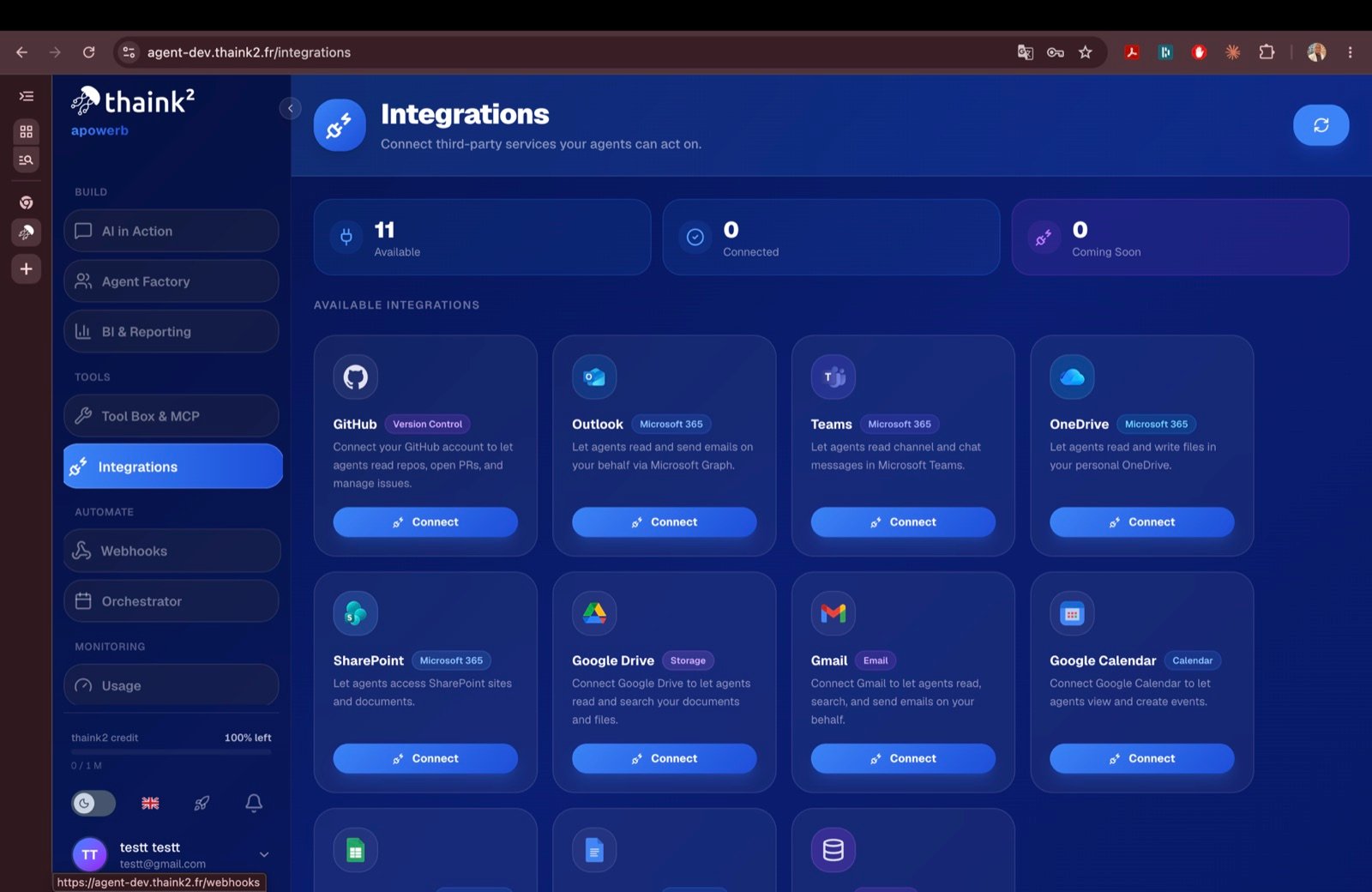 ## Connecting a workspace integration
`GET /api/integrations/{provider}/{service}/connect`
On the provider's consent screen.
`POST /api/integrations/{provider}/callback`
In the `integrations` table, encrypted with `ENCRYPT_KEY`.
Agent tools then use those tokens transparently.
## Supported services
Eleven services can be connected.
| Service | Family | What agents get |
| --------------- | --------------- | ---------------------------------------------------------- |
| Google Drive | Storage | Read and search documents and files |
| Gmail | Email | Read, search and send email |
| Google Calendar | Calendar | View and create events |
| Google Sheets | Spreadsheets | Read and write spreadsheet data |
| Google Docs | Documents | Read and create documents |
| Outlook | Microsoft 365 | Read and send email through Microsoft Graph |
| Teams | Microsoft 365 | Read channel and chat messages |
| OneDrive | Microsoft 365 | Read and write files |
| SharePoint | Microsoft 365 | Reach sites and documents |
| GitHub | Version control | Read repositories, open pull requests, manage issues |
| Odoo | CRM / ERP | Search, create and update records on an Odoo SaaS instance |
Scopes are requested per service — `gmail.readonly`, `drive.readonly`, `Mail.Read`,
`Files.ReadWrite`, `repo`, and so on — so an agent only ever receives what its service
needs.
## Endpoints
| Method | Endpoint | Description |
| ------ | ----------------------------------------------- | --------------------------- |
| GET | `/api/integrations` | List connected integrations |
| GET | `/api/integrations/google/{service}/connect` | Google authorisation URL |
| POST | `/api/integrations/google/callback` | Google callback |
| GET | `/api/integrations/microsoft/{service}/connect` | Microsoft authorisation URL |
| POST | `/api/integrations/microsoft/callback` | Microsoft callback |
| GET | `/api/integrations/github/connect` | GitHub authorisation URL |
| POST | `/api/integrations/github/callback` | GitHub callback |
| DELETE | `/api/integrations/{provider}` | Disconnect |
## Related topics
- [List Integrations](/api-reference/integrations/list-integrations.md)
- [Disconnect Integration](/api-reference/integrations/disconnect-integration.md)
- [Configuration](/configuration.md)
- [Odoo Connect](/api-reference/integrations/odoo-connect.md)
- [Outlook webhooks](/guides/integrations/microsoft.md)
## Connecting a workspace integration
`GET /api/integrations/{provider}/{service}/connect`
On the provider's consent screen.
`POST /api/integrations/{provider}/callback`
In the `integrations` table, encrypted with `ENCRYPT_KEY`.
Agent tools then use those tokens transparently.
## Supported services
Eleven services can be connected.
| Service | Family | What agents get |
| --------------- | --------------- | ---------------------------------------------------------- |
| Google Drive | Storage | Read and search documents and files |
| Gmail | Email | Read, search and send email |
| Google Calendar | Calendar | View and create events |
| Google Sheets | Spreadsheets | Read and write spreadsheet data |
| Google Docs | Documents | Read and create documents |
| Outlook | Microsoft 365 | Read and send email through Microsoft Graph |
| Teams | Microsoft 365 | Read channel and chat messages |
| OneDrive | Microsoft 365 | Read and write files |
| SharePoint | Microsoft 365 | Reach sites and documents |
| GitHub | Version control | Read repositories, open pull requests, manage issues |
| Odoo | CRM / ERP | Search, create and update records on an Odoo SaaS instance |
Scopes are requested per service — `gmail.readonly`, `drive.readonly`, `Mail.Read`,
`Files.ReadWrite`, `repo`, and so on — so an agent only ever receives what its service
needs.
## Endpoints
| Method | Endpoint | Description |
| ------ | ----------------------------------------------- | --------------------------- |
| GET | `/api/integrations` | List connected integrations |
| GET | `/api/integrations/google/{service}/connect` | Google authorisation URL |
| POST | `/api/integrations/google/callback` | Google callback |
| GET | `/api/integrations/microsoft/{service}/connect` | Microsoft authorisation URL |
| POST | `/api/integrations/microsoft/callback` | Microsoft callback |
| GET | `/api/integrations/github/connect` | GitHub authorisation URL |
| POST | `/api/integrations/github/callback` | GitHub callback |
| DELETE | `/api/integrations/{provider}` | Disconnect |
## Related topics
- [List Integrations](/api-reference/integrations/list-integrations.md)
- [Disconnect Integration](/api-reference/integrations/disconnect-integration.md)
- [Configuration](/configuration.md)
- [Odoo Connect](/api-reference/integrations/odoo-connect.md)
- [Outlook webhooks](/guides/integrations/microsoft.md)