> ## Documentation Index
> Fetch the complete documentation index at: https://docs.apowerb.com/llms.txt
> Use this file to discover all available pages before exploring further.
# BI and dashboards
> Turn data into charts and dashboards, and let an agent keep them fresh.
The BI module holds three things: **datasets** you bring in, **charts** built on them, and
**dashboards** that arrange those charts. An agent can be attached to a dashboard so the
figures refresh on their own.
 ## Bringing data in
| Method | Endpoint | Source |
| ------ | ---------------------------------- | ------------------------------------------------------------------- |
| POST | `/api/v1/bi/upload-csv` | A CSV you upload |
| POST | `/api/v1/bi/import/google-drive` | A file from a connected Google Drive |
| POST | `/api/v1/bi/onedrive/preview` | A OneDrive spreadsheet — `xlsx`, `xls`, `xlsm`, `ods`, `csv`, `tsv` |
| GET | `/api/v1/bi/tool-configs/database` | The database tool configs available as a source |
`GET /api/v1/bi/datasets` lists what is loaded, `/{file_id}/preview` shows the first rows
before you build anything on it, and `DELETE /{file_id}` removes it.
The spreadsheet and Drive paths need the matching
[integration](/guides/integrations) connected first.
## Charts
| Method | Endpoint | Description |
| ------ | -------------------------------- | ------------------------- |
| GET | `/api/v1/charts` | List |
| POST | `/api/v1/charts` | Create |
| GET | `/api/v1/charts/{chart_id}` | Read one |
| PATCH | `/api/v1/charts/{chart_id}` | Update |
| DELETE | `/api/v1/charts/{chart_id}` | Delete |
| GET | `/api/v1/charts/{chart_id}/data` | Fetch its data, paginated |
Two shortcuts skip the full chart definition for the common cases:
```
POST /api/v1/charts/shortcuts/kpi a single stat card
POST /api/v1/charts/shortcuts/timeseries a time series
```
`POST /api/v1/charts/{chart_id}/send-to-dashboard` pushes a chart onto the caller's chat
dashboard — it is meant to be triggered by the user, not by an agent acting alone.
## Dashboards
A dashboard is a grid of components. Charts are the usual ones, but a component can also
hold a key-value block whose content is updated in place.
| Method | Endpoint | Description |
| ------ | ---------------------------------------------- | -------------------------------- |
| GET | `/api/v1/dashboards` | List |
| POST | `/api/v1/dashboards` | Create |
| GET | `/api/v1/dashboards/{dashboard_id}` | Read one — also `by-slug/{slug}` |
| PATCH | `/api/v1/dashboards/{dashboard_id}` | Update |
| DELETE | `/api/v1/dashboards/{dashboard_id}` | Delete |
| POST | `/api/v1/dashboards/{dashboard_id}/components` | Add a component |
| PATCH | `.../components/{component_id}` | Update a key-value component |
| PATCH | `.../components/{component_id}/position` | Move it on the grid |
| DELETE | `.../components/{component_id}` | Remove it |
## Publishing and sharing
| Method | Endpoint | Effect |
| ------ | --------------------------------------------- | ----------------------------------------------- |
| POST | `/api/v1/dashboards/{dashboard_id}/publish` | Makes it reachable by slug |
| POST | `/api/v1/dashboards/{dashboard_id}/unpublish` | Takes it back private |
| GET | `/api/v1/dashboards/shared` | Published dashboards shared with the caller |
| GET | `/api/v1/dashboards/public/{slug}` | The published dashboard, **no authentication** |
| GET | `/api/v1/public/charts/{chart_id}/data` | The chart data behind it, **no authentication** |
Publishing is what the word says. `public/{slug}` and `public/charts/{id}/data` answer
without a token, so anyone holding the slug reads the figures. Publish a dashboard only
when its data is meant to leave the workspace, and unpublish rather than relying on the
slug staying secret.
## Letting an agent refresh the figures
A dashboard can be linked to an agent, which then becomes responsible for recomputing it.
```
PATCH /api/v1/dashboards/{dashboard_id}/agent link or unlink
GET /api/v1/dashboards/{dashboard_id}/agent read the link
POST /api/v1/dashboards/{dashboard_id}/schedule-refresh schedule the refresh
GET /api/v1/dashboards/{dashboard_id}/schedules list the schedules
POST /api/v1/charts/{chart_id}/schedule-refresh same, for one chart
```
Refreshes run through the [scheduler](/guides/scheduler), so they obey the same
`ORCHESTRATOR` setting as every other recurring run.
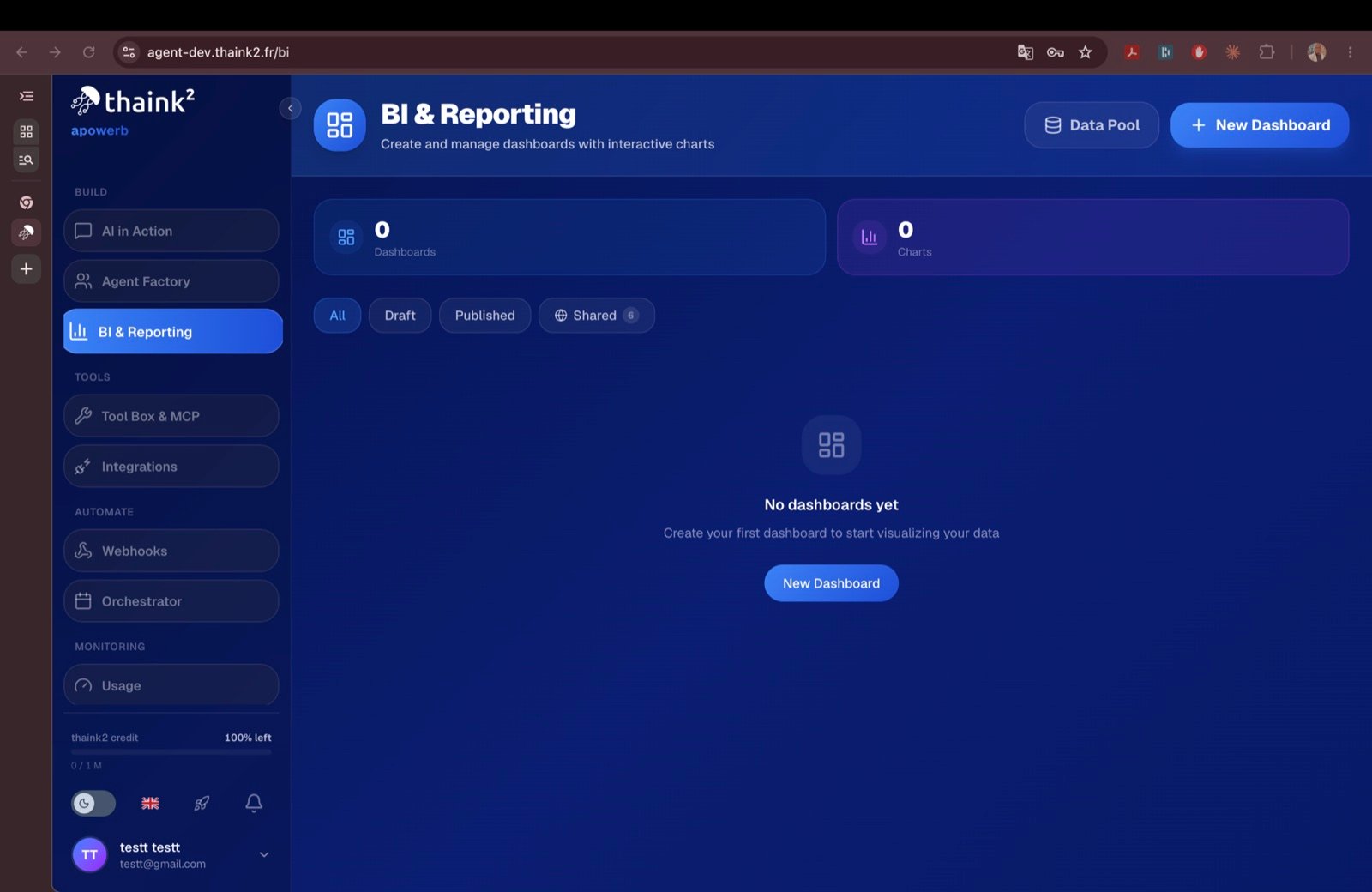
`GET /api/v1/bi/stats` returns the module's counters — what the screen above displays.
## Related topics
- [BI module statistics](/api-reference/bi-stats/bi-module-statistics.md)
- [Upload a CSV file for BI analysis](/api-reference/bi-upload/upload-a-csv-file-for-bi-analysis.md)
- [Delete a dashboard](/api-reference/dashboards/delete-a-dashboard.md)
- [Unpublish a dashboard](/api-reference/dashboards/unpublish-a-dashboard.md)
- [List dashboards](/api-reference/dashboards/list-dashboards.md)
## Bringing data in
| Method | Endpoint | Source |
| ------ | ---------------------------------- | ------------------------------------------------------------------- |
| POST | `/api/v1/bi/upload-csv` | A CSV you upload |
| POST | `/api/v1/bi/import/google-drive` | A file from a connected Google Drive |
| POST | `/api/v1/bi/onedrive/preview` | A OneDrive spreadsheet — `xlsx`, `xls`, `xlsm`, `ods`, `csv`, `tsv` |
| GET | `/api/v1/bi/tool-configs/database` | The database tool configs available as a source |
`GET /api/v1/bi/datasets` lists what is loaded, `/{file_id}/preview` shows the first rows
before you build anything on it, and `DELETE /{file_id}` removes it.
The spreadsheet and Drive paths need the matching
[integration](/guides/integrations) connected first.
## Charts
| Method | Endpoint | Description |
| ------ | -------------------------------- | ------------------------- |
| GET | `/api/v1/charts` | List |
| POST | `/api/v1/charts` | Create |
| GET | `/api/v1/charts/{chart_id}` | Read one |
| PATCH | `/api/v1/charts/{chart_id}` | Update |
| DELETE | `/api/v1/charts/{chart_id}` | Delete |
| GET | `/api/v1/charts/{chart_id}/data` | Fetch its data, paginated |
Two shortcuts skip the full chart definition for the common cases:
```
POST /api/v1/charts/shortcuts/kpi a single stat card
POST /api/v1/charts/shortcuts/timeseries a time series
```
`POST /api/v1/charts/{chart_id}/send-to-dashboard` pushes a chart onto the caller's chat
dashboard — it is meant to be triggered by the user, not by an agent acting alone.
## Dashboards
A dashboard is a grid of components. Charts are the usual ones, but a component can also
hold a key-value block whose content is updated in place.
| Method | Endpoint | Description |
| ------ | ---------------------------------------------- | -------------------------------- |
| GET | `/api/v1/dashboards` | List |
| POST | `/api/v1/dashboards` | Create |
| GET | `/api/v1/dashboards/{dashboard_id}` | Read one — also `by-slug/{slug}` |
| PATCH | `/api/v1/dashboards/{dashboard_id}` | Update |
| DELETE | `/api/v1/dashboards/{dashboard_id}` | Delete |
| POST | `/api/v1/dashboards/{dashboard_id}/components` | Add a component |
| PATCH | `.../components/{component_id}` | Update a key-value component |
| PATCH | `.../components/{component_id}/position` | Move it on the grid |
| DELETE | `.../components/{component_id}` | Remove it |
## Publishing and sharing
| Method | Endpoint | Effect |
| ------ | --------------------------------------------- | ----------------------------------------------- |
| POST | `/api/v1/dashboards/{dashboard_id}/publish` | Makes it reachable by slug |
| POST | `/api/v1/dashboards/{dashboard_id}/unpublish` | Takes it back private |
| GET | `/api/v1/dashboards/shared` | Published dashboards shared with the caller |
| GET | `/api/v1/dashboards/public/{slug}` | The published dashboard, **no authentication** |
| GET | `/api/v1/public/charts/{chart_id}/data` | The chart data behind it, **no authentication** |
Publishing is what the word says. `public/{slug}` and `public/charts/{id}/data` answer
without a token, so anyone holding the slug reads the figures. Publish a dashboard only
when its data is meant to leave the workspace, and unpublish rather than relying on the
slug staying secret.
## Letting an agent refresh the figures
A dashboard can be linked to an agent, which then becomes responsible for recomputing it.
```
PATCH /api/v1/dashboards/{dashboard_id}/agent link or unlink
GET /api/v1/dashboards/{dashboard_id}/agent read the link
POST /api/v1/dashboards/{dashboard_id}/schedule-refresh schedule the refresh
GET /api/v1/dashboards/{dashboard_id}/schedules list the schedules
POST /api/v1/charts/{chart_id}/schedule-refresh same, for one chart
```
Refreshes run through the [scheduler](/guides/scheduler), so they obey the same
`ORCHESTRATOR` setting as every other recurring run.
`GET /api/v1/bi/stats` returns the module's counters — what the screen above displays.
## Related topics
- [BI module statistics](/api-reference/bi-stats/bi-module-statistics.md)
- [Upload a CSV file for BI analysis](/api-reference/bi-upload/upload-a-csv-file-for-bi-analysis.md)
- [Delete a dashboard](/api-reference/dashboards/delete-a-dashboard.md)
- [Unpublish a dashboard](/api-reference/dashboards/unpublish-a-dashboard.md)
- [List dashboards](/api-reference/dashboards/list-dashboards.md)